Feature 04
WhatsApp Marketing & Bulk Messaging
Send campaigns to opted-in contacts.
Send approved WhatsApp templates to segmented, opted-in patient lists, perfect for offers, reminders and clinic updates.
The problem
What clinics struggle with today
- Broadcasting from personal phones is risky and messy.
- No way to target the right patients.
- No visibility on who received the message.
Try it live
How it looks in MediGrow.app
Opted-in contacts · Whitening enquiries (48)
Illustrative demo with sample data.
Done for you
Our team runs your WhatsApp marketing
You don't need to learn templates, approvals or audiences. The MediGrow team sets everything up and runs your campaigns inside MediGrow.app, you just approve the offer and handle the bookings.
- Connect and verify your WhatsApp Business number
- Write your offers and promotional messages
- Submit templates for approval and handle changes
- Build the right opted-in patient audience
- Schedule and launch each campaign
- Track delivery, replies and charges for you
Step by step
From setup to your first campaign
Every step, shown inside MediGrow.app. Real MediGrow.app screens with sample clinic data.
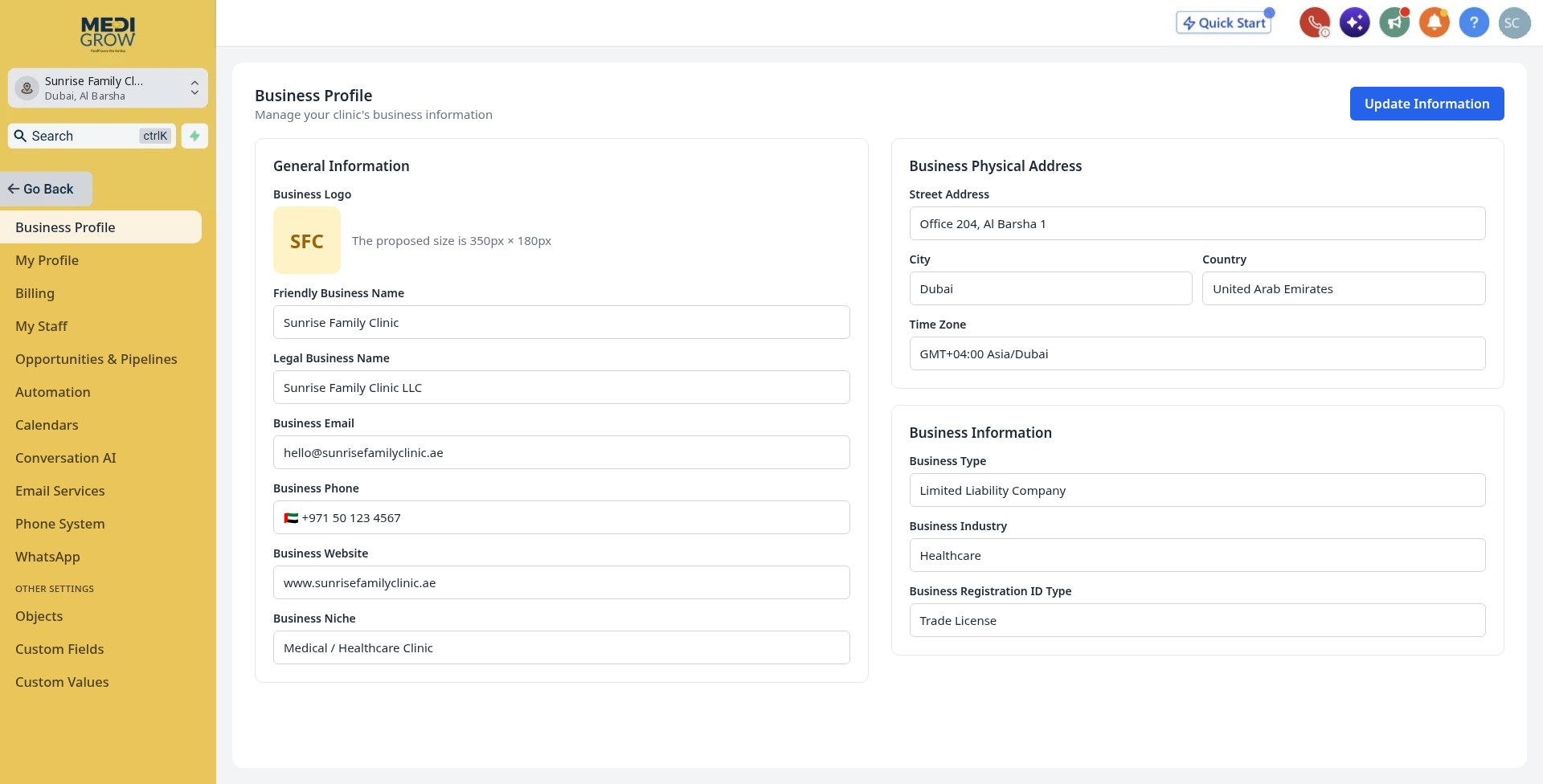
Create or confirm your MediGrow.app account
New clinics get a MediGrow.app account with business details confirmed. Existing clinics simply confirm their account is active.
- Share your clinic's business details
- Existing users skip straight to connection
 Tap the screen to view full size
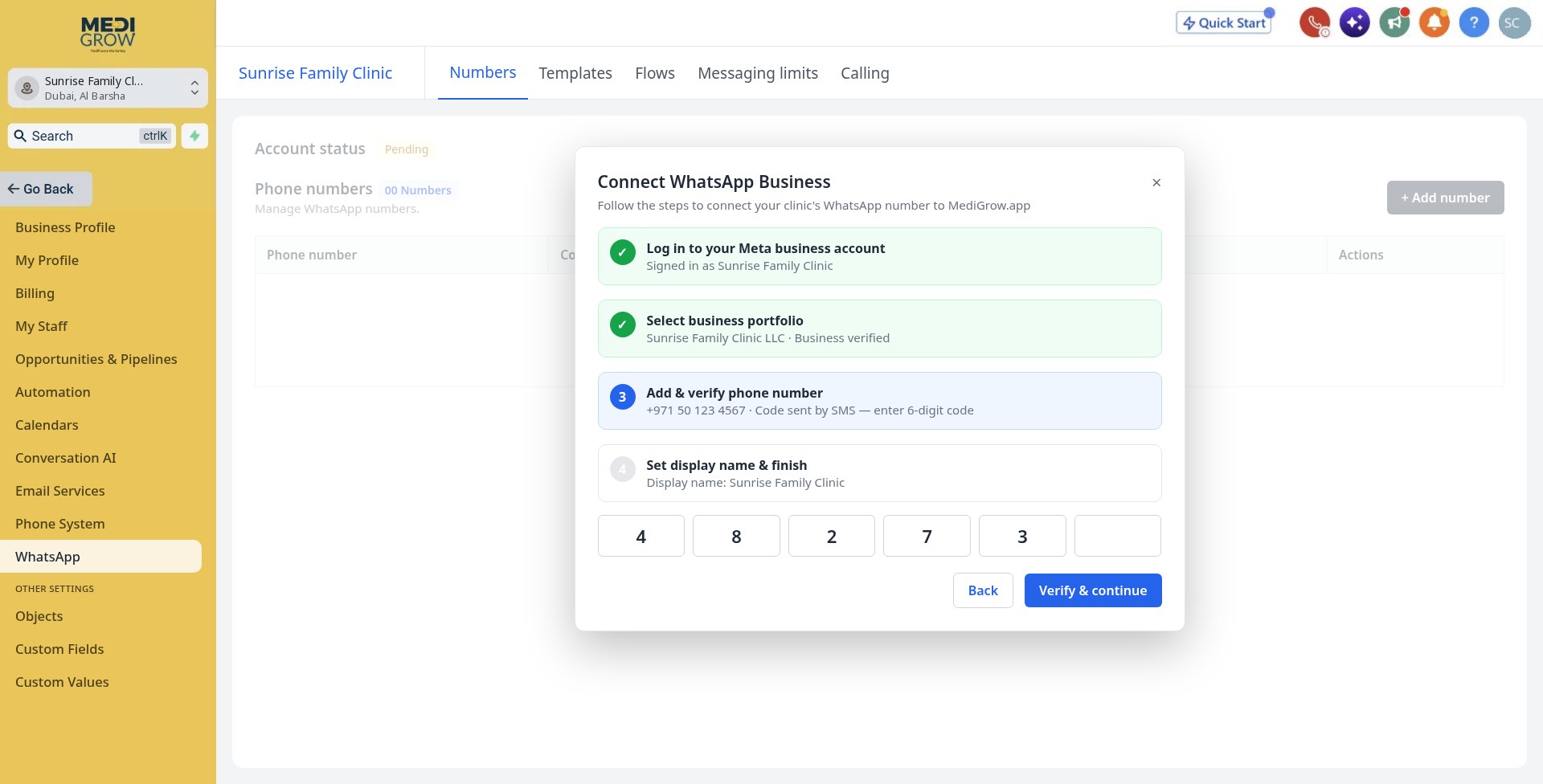
Share your WhatsApp Business number
Give us your clinic's WhatsApp Business number and access to your business account so we can connect it.
- One number or several branches
- Your number stays in your clinic's name
 Tap the screen to view full size
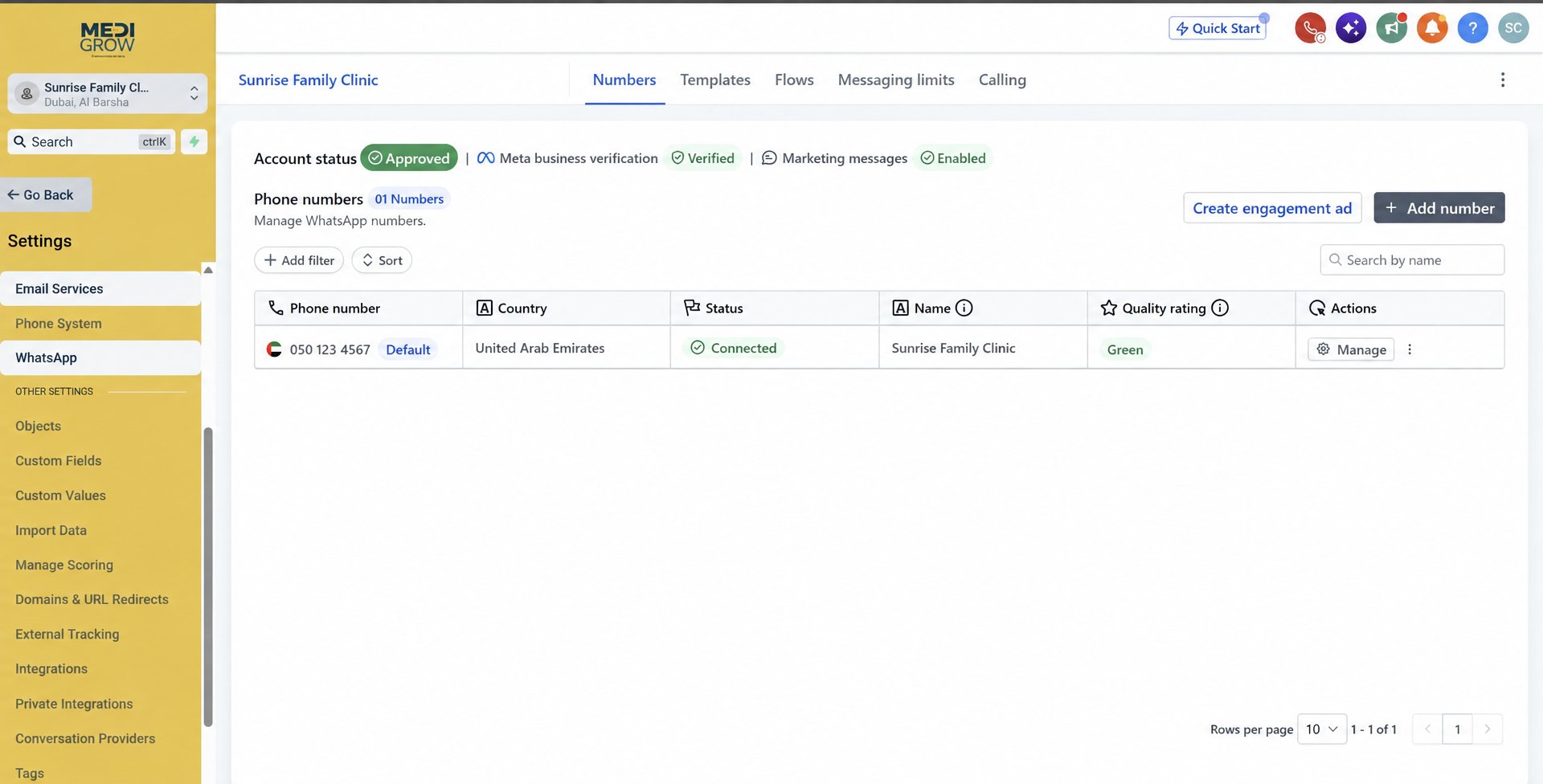
Verification & connection
Our team completes business verification and WhatsApp onboarding where required, then connects and configures WhatsApp in MediGrow.app.
- New users: one-time AED 200 setup
- Existing users: setup fee waived
- USD 14 monthly active fee starts once connected
 Tap the screen to view full size
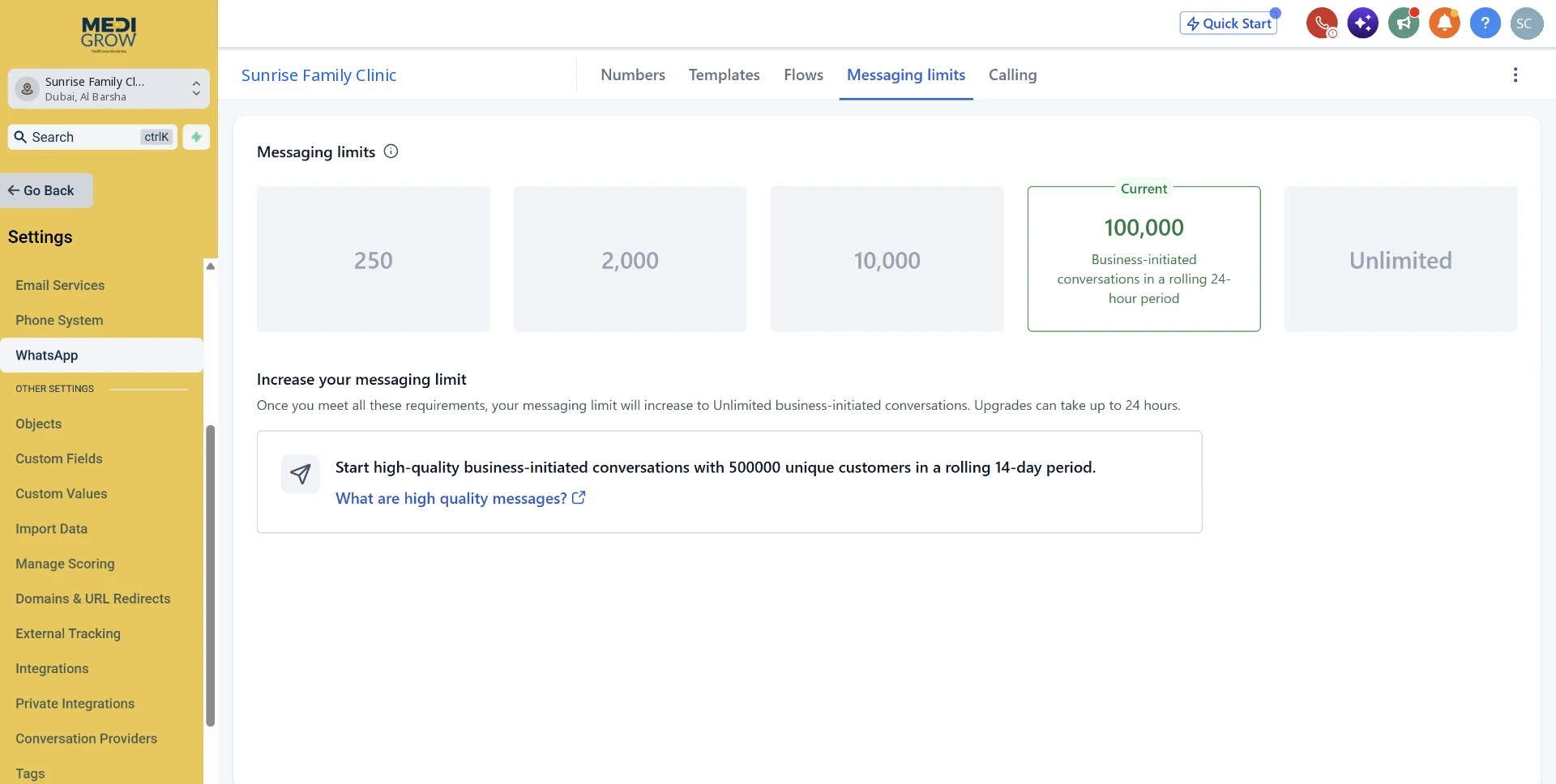
Messaging limits grow with quality
Once connected, your number starts with a daily limit of business-initiated conversations. Sending good-quality messages to opted-in patients raises the limit over time, we monitor it for you.
- Tiers: 250 → 2,000 → 10,000 → 100,000 → Unlimited
- Quality rating kept green by targeting opted-in patients only
 Tap the screen to view full size
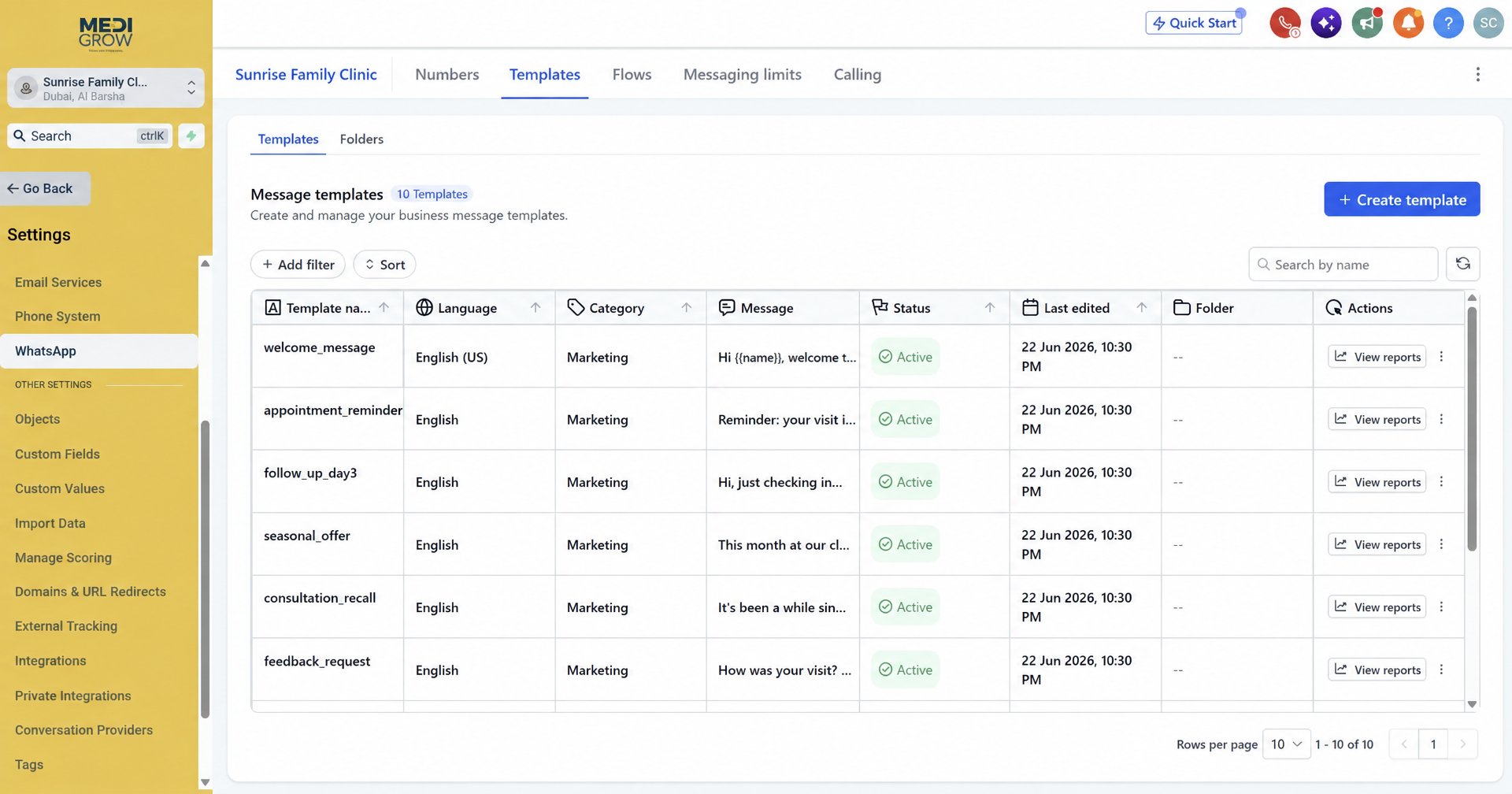
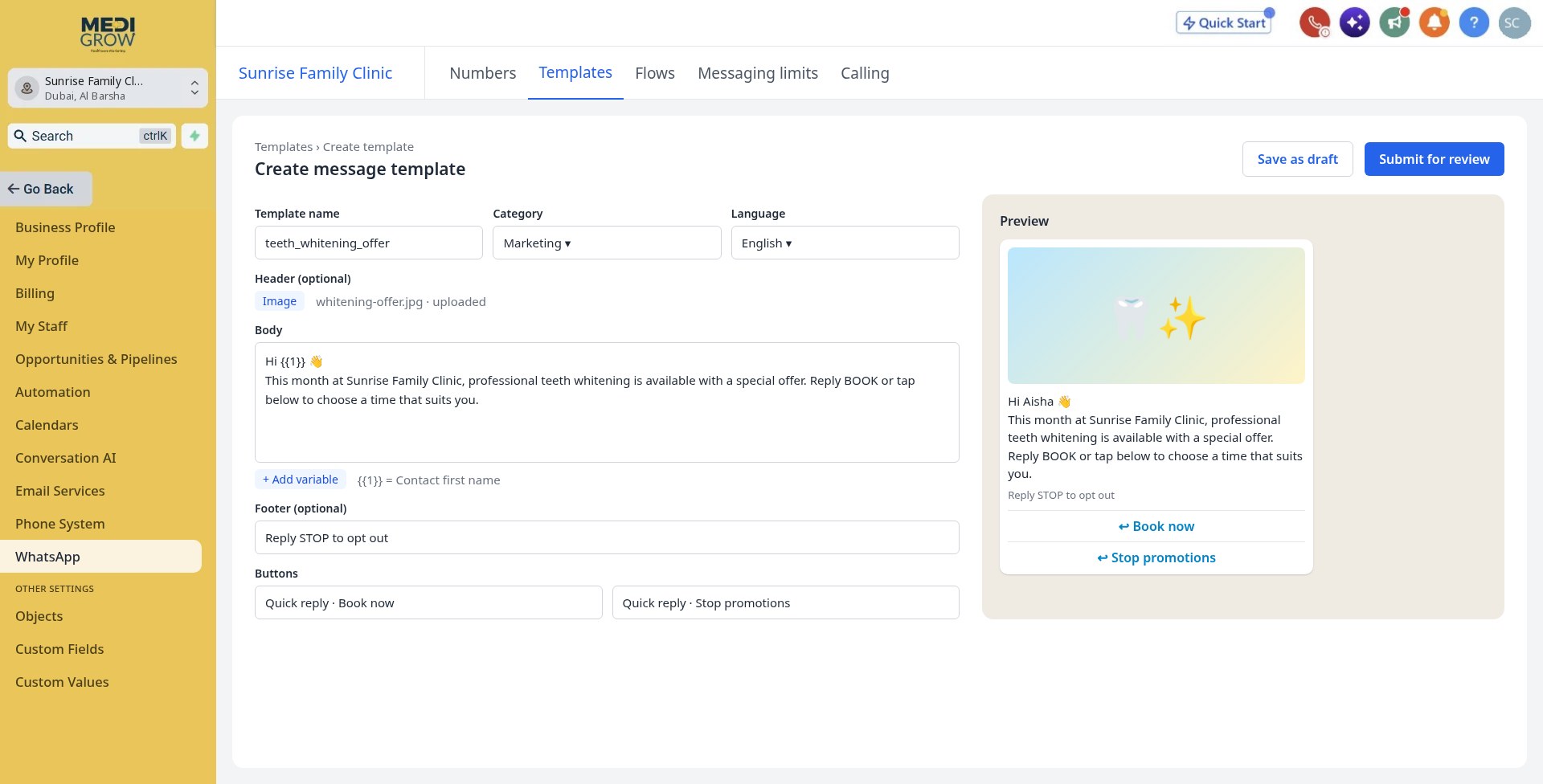
We write and submit your templates
We draft your marketing messages, offers, new treatments, recalls, with images and buttons, then submit them for approval.
- Personalised with the patient's name
- 'Book now' and opt-out buttons included
- Approval handled for you
 Tap the screen to view full size
Your approved template library
Approved templates are saved in your library, ready to reuse for future campaigns.
- Seasonal offers, recalls, follow-ups
- Reuse any time, no re-writing
Tap the screen to view full sizeBuild the opted-in audience
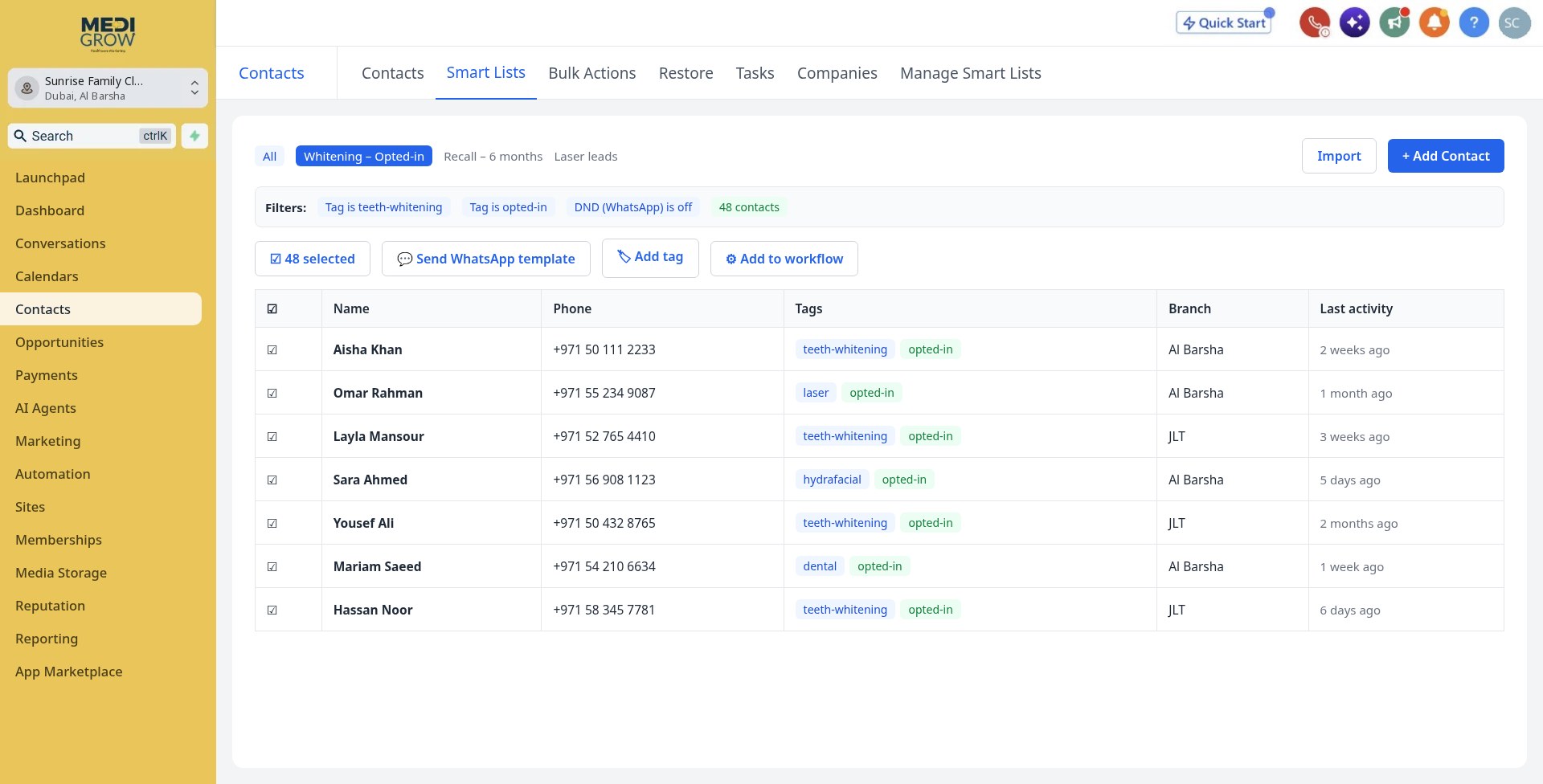
We confirm patient consent and select the right patients by treatment interest, branch or last visit.
- Only opted-in contacts
- Targeted segments, not mass blasts
 Tap the screen to view full size
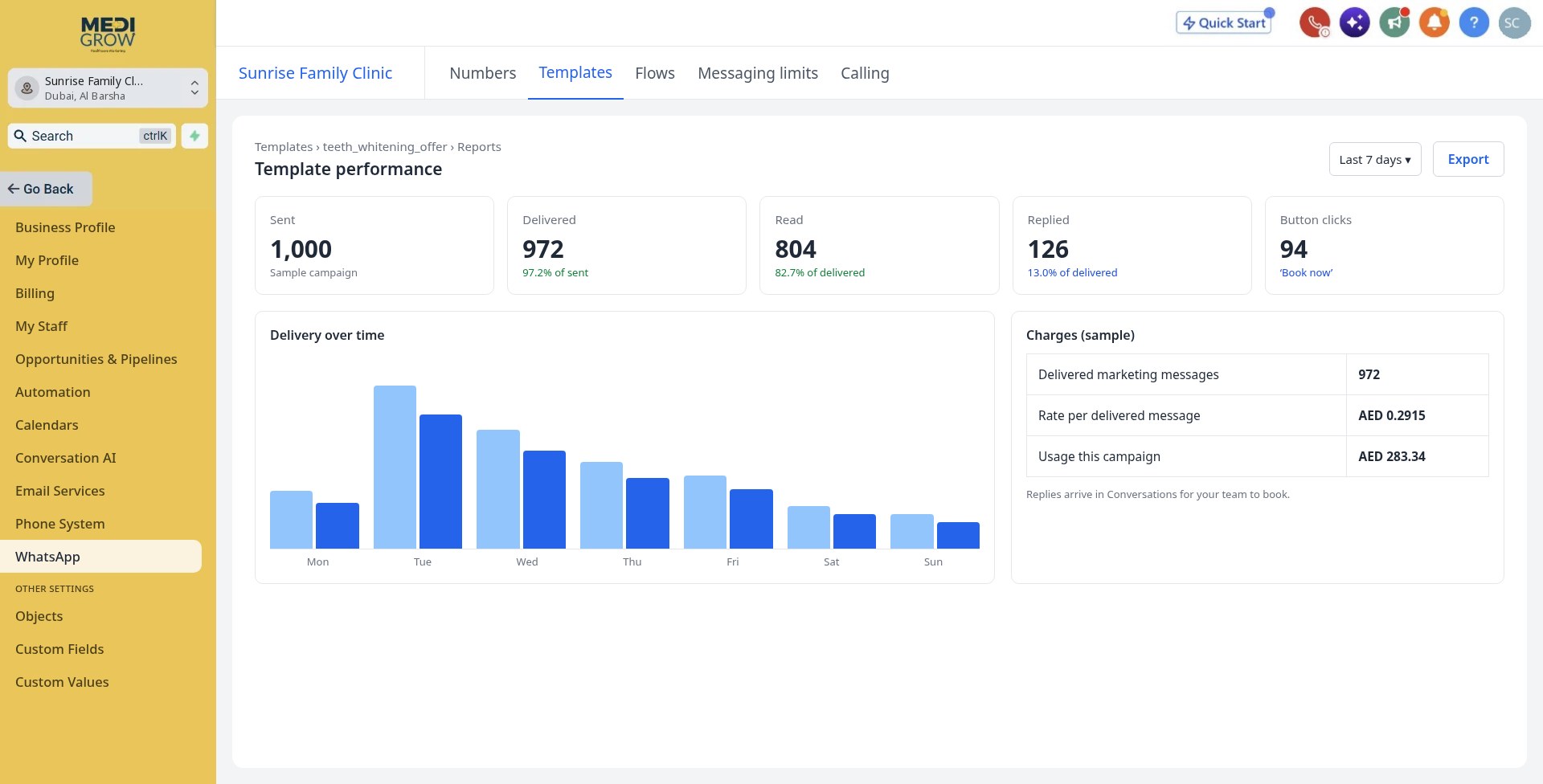
Launch, track and turn replies into bookings
We launch the campaign and monitor delivered messages, reads, replies and charges. Replies land in your team inbox so you can book patients.
- Live delivery and reply tracking
- Usage and charges visible in your account
- Your team handles the bookings
 Tap the screen to view full size
Pricing
Simple, pay-per-delivered pricing
For marketing template messages sent to UAE (+971) numbers. Move the slider to see exactly what a campaign costs.
Pay only for delivered
Undelivered messages cost nothing
Official WhatsApp Business API
Approved templates, verified sender
Done for you
Our team builds and sends campaigns
Messages delivered this month
1,000
Per message
AED 0.2915
Where your money goes
Your first month
- 1,000 messagesAED 291.50
- One-time setupAED 200.00
- WhatsApp active feeUSD 14 / month
First-month total
AED 491.50
+ USD 14 monthly fee
From month two: AED 291.50 + USD 14 at this volume. Taxes not included.
Start my campaignThe USD 14 monthly fee applies per connected WhatsApp account and is not converted into AED; the invoice equivalent may vary with exchange rate and bank fees.
Good to know
What counts as a marketing message?
- Clinic offers, discounts and seasonal promotions.
- Announcements about services, packages or new treatments.
- Patient re-engagement campaigns and invitations to book.
- Promotional messages designed to generate enquiries or appointments.
Billing & usage terms
Important details
- The Meta component is AED 0.2115 per delivered UAE (+971) marketing template message, based on the rate reference effective 1 October 2026. Meta may change its rates; the combined client rate may then be revised.
- The USD 14 WhatsApp active fee is recurring monthly and applies to both existing and new MediGrow.app users.
- The one-time setup fee is waived for existing MediGrow.app users. New users pay the one-time setup fee.
- This pricing covers marketing templates only. Utility, authentication and service conversations may have different pricing.
- Usage is calculated on delivered marketing template messages, following actual delivery records and the applicable Meta rate at the time of delivery.
- Clinics are responsible for patient opt-in/consent, honouring opt-out requests and following WhatsApp Business policies and privacy requirements.
- Taxes, including VAT if applicable, plus bank, currency conversion or third-party fees are excluded unless stated on the invoice.
Why it matters for your clinic
Targeted messaging
Reach the right patients with the right offer.
Compliant by design
Opted-in contacts and approved templates only.
Replies in one inbox
Turn campaign replies into bookings.
Example: Seasonal offer
The clinic sends a whitening consultation update to opted-in patients who previously asked about whitening; replies flow into the team inbox.
Next feature
Multiple WhatsApp NumbersReady to see your enquiries in one place?
Try MediGrow.app and lock in 50% off your first year, for the first 50 clinics.
Illustrative demo data