
Feature 03
Automated Follow-Ups
Keep follow-ups on schedule, automatically.
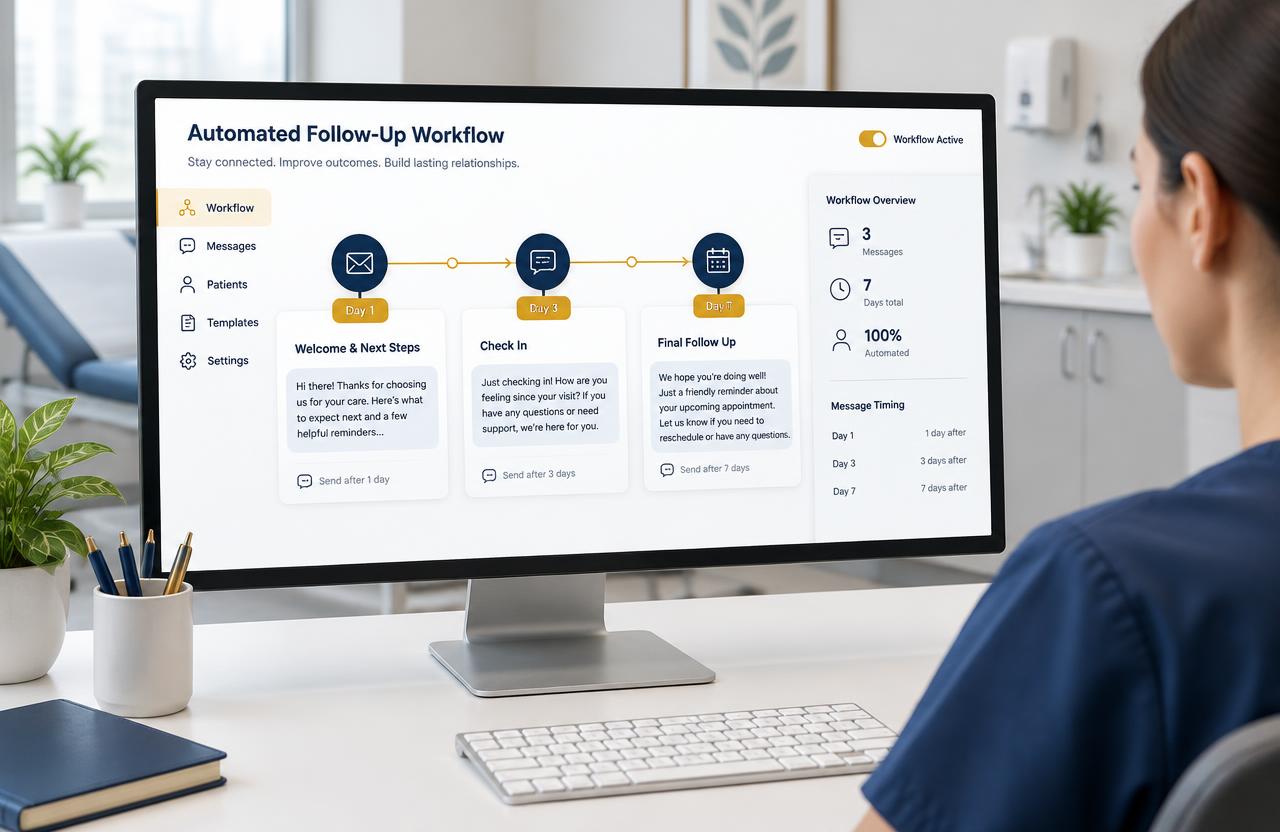
Build simple follow-up sequences that message patients on Day 1, Day 3, Day 7 and beyond, and stop automatically when they reply or book.
The problem
What clinics struggle with today
- Teams forget to follow up after the first message.
- Manual reminders depend on one person's memory.
- Interested patients drift away.
Try it live
How it looks in MediGrow.app
Illustrative demo with sample data.
Step by step
How to do it in MediGrow.app
- 1
Pick a trigger
Start the sequence when a new enquiry arrives or a lead is tagged.
- 2
Write your messages
Use ready templates or write your own for each day of the sequence.
- 3
Set the timing
Choose delays like 1 day, 3 days or 7 days between messages.
- 4
Let it run
MediGrow.app sends each step and stops when the patient replies or books.
Why it matters for your clinic
Consistent follow-up
Every lead gets the same care.
Save staff time
Your team focuses on conversations, not reminders.
Stops on reply
Patients never get messages after they've responded.
Example: Consultation enquiry
A patient asks about a dental consultation but doesn't book. They get a friendly check-in on Day 3 and a final reminder on Day 7.
Next feature
WhatsApp Marketing & Bulk MessagingReady to see your enquiries in one place?
Try MediGrow.app and lock in 50% off your first year, for the first 50 clinics.
Illustrative demo data