
Feature 01
Activity Tracker
Know exactly what happened with every lead.
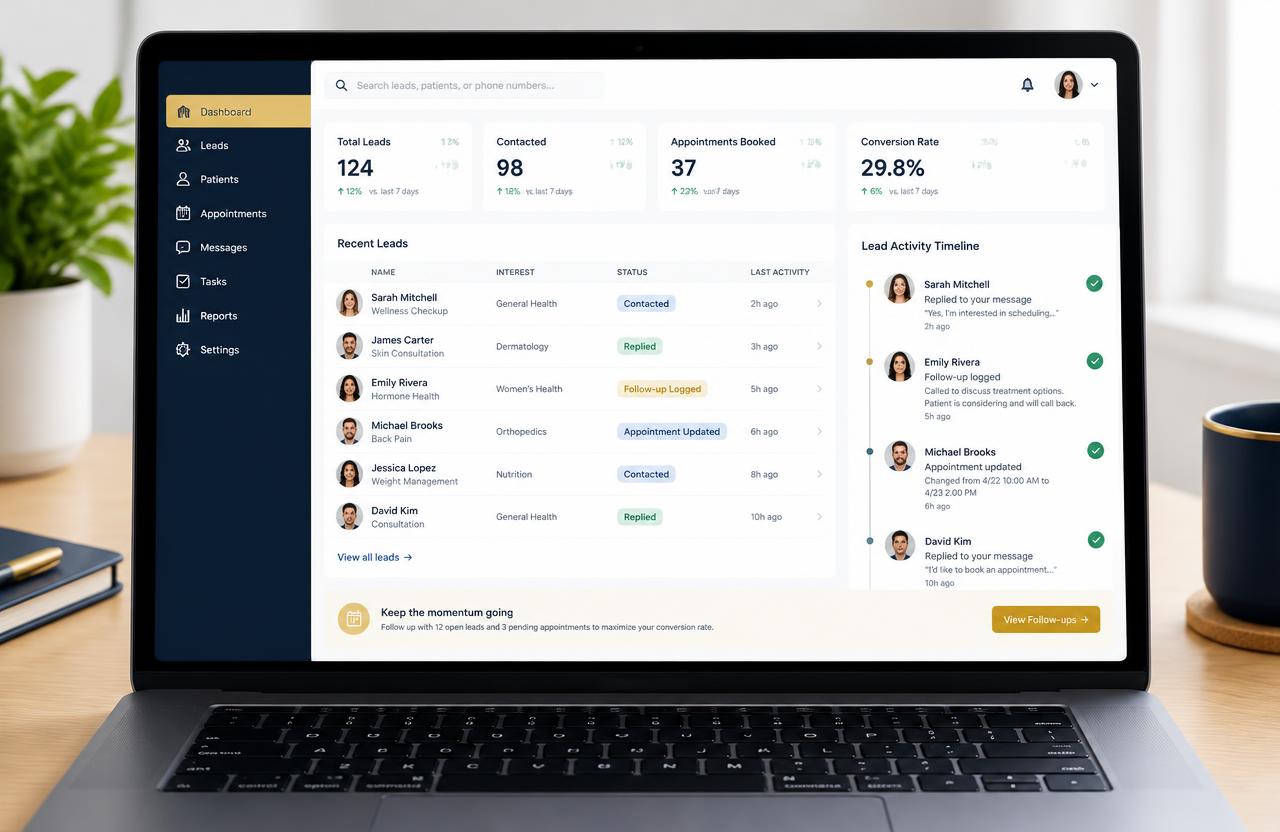
Every call, message, note and status change on a lead is logged in one timeline, so managers and front-desk teams always know who did what and when.
The problem
What clinics struggle with today
- Leads go cold because nobody knows who replied last.
- Managers can't see which team member is following up.
- Notes live in personal phones and notebooks.
Try it live
How it looks in MediGrow.app
- Sara replied ✓1m ago
- Follow-up logged ✓2m ago
- Appointment updated ✓3m ago
- Note added by Dr. Rami ✓4m ago
- Reminder sent ✓5m ago
Illustrative demo with sample data.
Step by step
How to do it in MediGrow.app
- 1
Open any lead
Go to Contacts in MediGrow.app and open a patient enquiry.
- 2
See the full timeline
Messages, calls, notes, appointments and status changes appear in order, with the team member's name.
- 3
Add a note or task
Log a call outcome or assign a follow-up task to a teammate in one click.
- 4
Review team activity
Managers filter activity by staff member or date to see who is following up.
Why it matters for your clinic
Full accountability
Every action is tied to a team member.
Smooth handovers
Shift changes never lose context on a patient.
Coach your team
Spot slow replies and missed follow-ups early.
Example: Front desk handover
The evening receptionist opens a lead and instantly sees that the morning team shared prices and the patient asked for Saturday, no need to ask again.
Next feature
MG NotifierReady to see your enquiries in one place?
Try MediGrow.app and lock in 50% off your first year, for the first 50 clinics.
Illustrative demo data